
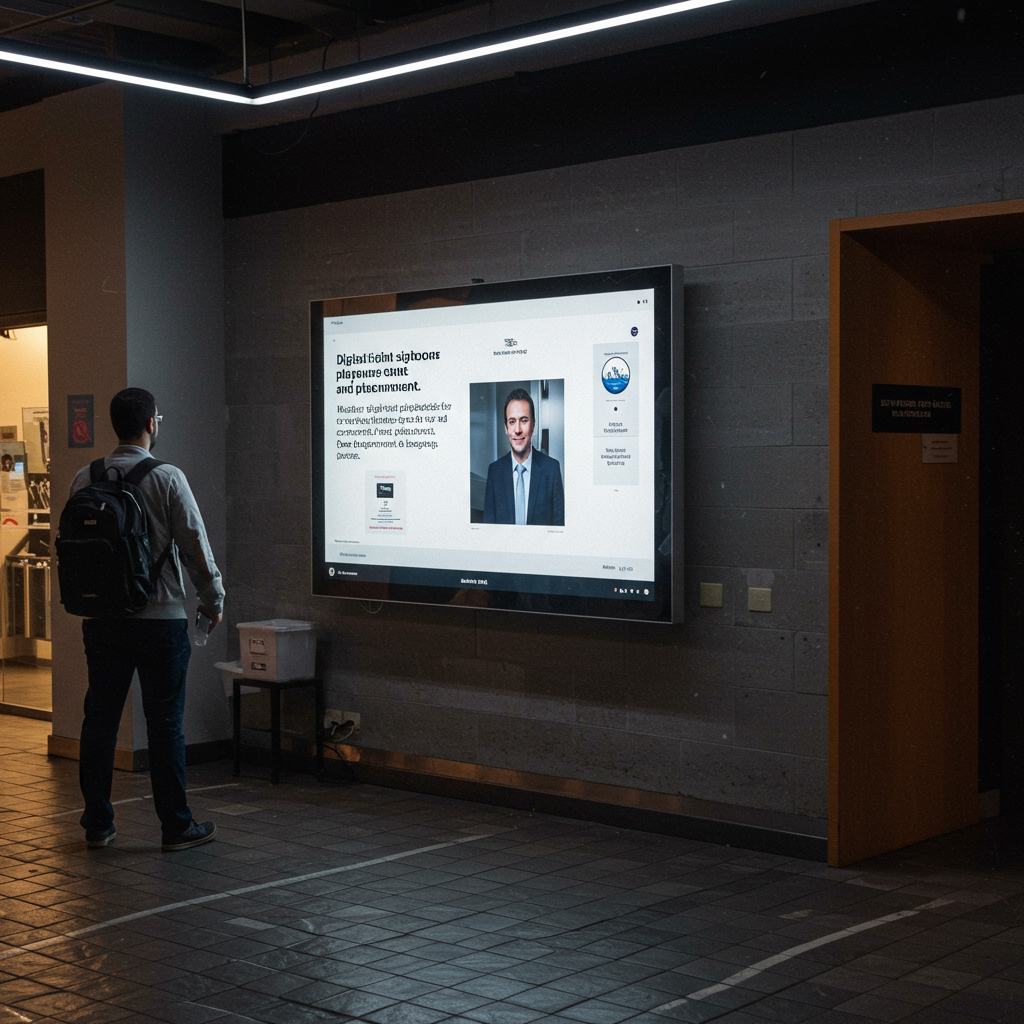
Digital Signage Playbooks: The Definitive Guide to Content, Dwell Time, and Placement
This article provides a comprehensive guide to developing and implementing digital signage playbooks, strategic manuals designed to standardize and optimize digital signage campaigns. We address the three fundamental pillars: creating content that converts, analyzing dwell time to fine-tune messaging, and strategically selecting screen locations. The focus is on transforming digital signage from a simple screen into a powerful communication and sales tool. Through detailed processes, case studies, and practical guides, marketing managers, retail operators, and corporate communicators will learn how to measure success with key KPIs such as increased sales (up to 15%), improved Net Promoter Score (NPS) by +10 points, and reduced budget deviation to less than 5%. The value proposition is clear: to move from improvisation to predictable and highly profitable execution.
Introduction
In today’s competitive landscape, digital signage has transcended its role as a mere electronic bulletin board to become a dynamic and crucial communication channel. However, many organizations invest large sums in state-of-the-art hardware only to fail at the most important thing: content strategy and its execution. This is where digital signage playbooks become indispensable. A playbook is much more than a content calendar; it is a living strategic document that defines the what, how, when, where, and why of every message displayed. It aligns business objectives with the customer experience at the point of contact, ensuring consistency, relevance, and, above all, measurable results. This guide is designed to demystify the process of creating these manuals, focusing on the critical interdependence between content, viewer dwell time, and the physical location of the screens.
The methodology we will propose is based on a continuous improvement cycle: Plan, Do, Measure, and Optimize (PDCA). Throughout this article, we will detail how to apply this cycle to every facet of your digital signage strategy. We will measure success through a set of Key Performance Indicators (KPIs) ranging from engagement metrics, such as average viewing time and interaction rate (for touchscreens), to business metrics, such as increased sales of promoted products, improved customer flow, or increased employee satisfaction in corporate environments. The ultimate goal is to provide you with a robust framework so that your digital signage playbooks not only manage screens, but actively drive your organization’s results.
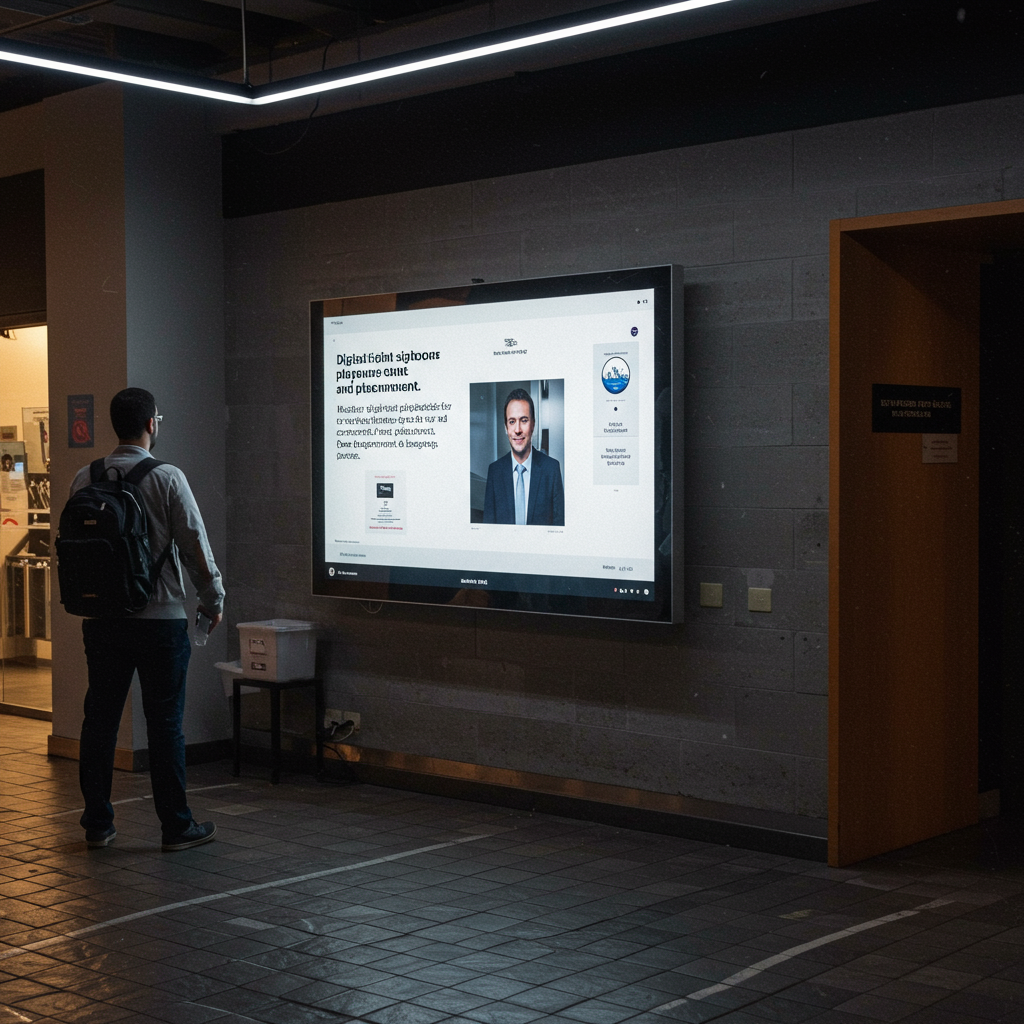 loading=”lazy”>
This image illustrates the synergy between the key components of a digital signage playbook: engaging content, strategic placement, and analysis of viewer behavior for continuous optimization.
Vision, Values, and Proposition
Focus on Results and Measurement
Our vision is to transform digital signage from a capital expenditure into a revenue engine and a measurable strategic asset. We are guided by values of transparency, innovation, and customer focus. We apply the Pareto principle (80/20), focusing on the actions that generate 80% of the results, such as content personalization based on demographics and location optimization based on foot traffic heat maps. Our value proposition is based on the implementation of digital signage playbooks that guarantee a positive Return on Investment (ROI) within 12 to 18 months. We comply with technical standards such as those established by the Digital Signage Federation (DSF) regarding interoperability and audience metrics, and we follow the guidelines of ISO 9241 on human-system interaction ergonomics to ensure the readability and usability of the content.
Value 1: Data-Driven Strategy. We don’t make decisions based on intuition. We use audience analytics, sales data, and heat maps to inform every aspect of the playbook, from content rotation to screen brightness based on the time of day.
- Value 2: Quality and Consistency. The playbook ensures that the brand voice and image are consistent across all locations, avoiding contradictory or low-quality messages that could damage customer perception.
- Value 3: Operational Efficiency. Centralizing the strategy in a playbook drastically reduces the time and resources needed to manage a network of screens. It allows for rapid implementation of global campaigns and easy adaptation to local needs.
- Decision Matrix (Simplified Example):
- Objective: Increase sales of a specific product.
- Priority Location: Near the product’s point of sale (score: 10/10).
- Priority Content: Short video (15 seconds) with a clear offer and CTA (Call to Action) (score: 9/10).
- Key Metric: Conversion rate (product sales / traffic in the area).
Services, Profiles, and Performance
Portfolio and Professional Profiles
We offer a comprehensive suite of services for the entire lifecycle of a digital signage strategy, all anchored in the development and execution of digital signage playbooks. Our services include: strategic consulting and auditing of existing networks, design and creation of optimized content, implementation and management of CMS (Content Management System) software, and performance analysis with regular reports. To achieve this, we have a multidisciplinary team that includes profiles such as:
Digital Signage Strategist: Defines the objectives, KPIs, and overall playbook architecture.
Multimedia Content Designer: Creates visual assets (videos, animations, templates) following best practices for readability and impact.
Content Manager (CMS Manager): Schedules, distributes, and monitors content across the network of screens.
Data Analyst: Measures campaign performance, analyzes audience behavior, and provides insights for optimization.
Operational Process
Phase 1: Discovery and Audit (2 weeks). Analysis of the current infrastructure, definition of business objectives and KPIs. Deliverable: Diagnostic Report. KPI: Asset Inventory Accuracy > 98%.
Phase 2: Playbook Design (4 weeks). Creation of the strategic document, including style guides, content matrix, scheduling rules, and measurement plan. Deliverable: Digital Signage Playbook v1.0. KPI: Client approval on the first revision > 80%.
Phase 3: Content and Template Creation (3 weeks). Development of master visual assets and dynamic templates that connect to data sources (e.g., pricing, weather, social media). Deliverable: Initial content library. KPI: Production time per piece < 4 hours. Phase 4: Implementation and Pilot Launch (2 weeks). Deployment of content to a control group of screens. Deliverable: Live pilot campaign. KPI: System uptime > 99.5%.
Phase 5: Ongoing Measurement and Optimization. Monitoring of KPIs, A/B testing, and quarterly playbook updates. Deliverable: Monthly performance reports. KPI: Improve engagement by 5% quarterly.
Tables and examples
15% increase in sales of “X” in 3 months.Improve the in-store experience.Net Promoter Score (NPS); Perceived wait time.Show entertainment and trivia content at the checkout. Integrate an on-screen queuing system.10-point increase in NPS. 25% reduction in wait complaints.Reduce the staff’s workload.Number of frequently asked questions from customers to staff.Create an interactive directory at the entrance. Display a dynamic FAQ about return policies.40% decrease in repetitive questions to staff.Promote the loyalty program.New program sign-ups per day/store.Display a QR code on screen for easy and incentivized registration. Testimonials from satisfied customers.30% increase in new sign-ups.
| Objective | Indicators (KPIs) | Actions Guided by the Playbook | Expected Result |
|---|---|---|---|
| Increase sales of product “X” | Conversion rate at the point of sale; Units sold/day. | Display promotional video on screens near the product. Schedule special offers during peak hours. |

Representation, Campaigns, and/or Production
Professional Development and Management
Executing a large-scale digital signage campaign requires flawless logistical coordination. Our campaign management service covers all aspects, from initial planning to decommissioning. This includes coordinating with hardware suppliers, installers, content creators, and the client’s IT teams. We manage production and deployment schedules using project management tools like Asana or Trello, ensuring that all milestones are met on time and within budget. We handle the logistics of shipping equipment, obtaining installation permits if necessary (for example, on building facades), and on-site supervision to ensure the installation meets the highest quality and safety standards. A key aspect of our management is the creation of detailed contingency plans to mitigate risks.
Pre-launch Campaign Checklist:
Goal Validation: Are the campaign KPIs clearly defined and measurable?
Content Review: Has all content been approved by the client and does it comply with the playbook style guide? Are the formats (MP4, JPG), resolutions (1920×1080), and codecs correct?
Scheduling Verification: Are the schedule, playback rules, and location segmentation correctly configured in the CMS?
Hardware Testing: Has a remote status check been performed on all involved screens? Is network connectivity verified?
Contingency Plan: What content will be displayed by default if the internet connection fails? Who is the emergency technical contact at each location?
Documentation: Does local staff have a quick start guide on how to report an incident?
Supplier Management: We maintain a database of approved suppliers (hardware, installers, software) with quarterly performance evaluations. This allows us to guarantee quality and have alternatives in case of stock or service issues.
Contingency Planning: For each campaign, we develop a plan that addresses potential failures, such as power outages (solution: UPS), loss of connectivity (solution: emergency local content storage), or hardware failures (solution: 48-hour replacement SLA with the supplier).
Gantt chart showing the timeline of a digital signage campaign. loading=”lazy”>
This workflow visualized in a Gantt chart demonstrates how our proactive project management minimizes the risks of delays and cost overruns, ensuring a smooth and predictable launch.
Content and/or Media That Convert
Messages, Formats, and Conversions
Content is king, but in digital signage, context is king. A brilliant message in the wrong place or at the wrong time is invisible. Our approach to creating content that converts is based on the “3-Second Model”: capture attention in the first second, communicate the key message in the second, and deliver a clear call to action (CTA) in the third. To achieve this, we use powerful visual hooks, such as movement, bright colors, or human faces. We conduct systematic A/B testing to determine what type of content works best for each objective: a short video or a static image with dynamic text? A percentage discount or a “buy one, get one free” offer? All these variables are tested, and the results are incorporated into the digital signage playbooks for future campaigns. Conversion metrics vary depending on the objective: it could be a QR code scan, the use of a discount code displayed on screen, or, through video analytics, the correlation between viewing an ad and purchasing the product.
- Content Production Workflow:
- Creative Briefing (Responsible: Strategist): Defining the objective, audience, key message, CTA, and KPIs for the piece of content.
- Script and Storyboard (Responsible: Designer): Creating a visual draft of the sequence and text.
- Asset Production (Responsible: Designer): Graphic design, video recording, animation.
- First Review (Responsible: Strategist and Client): Feedback on the draft.
- Adjustments and Final Version (Responsible: Designer): Implementation of changes and export in the technical formats required by the CMS.Upload and Programming (Responsible: Content Manager): Upload to the CMS and configuration of playback rules.
Quality Control (Responsible: Content Manager): Remote viewing of the piece on a test screen to ensure correct playback.

A/B testing is fundamental for optimization. In this example, we measure whether a CTA with a QR code (A) generates more conversions than one with a text discount code (B), directly linking the results to business objectives.
… We offer a modular training catalog designed for different professional profiles, from store staff who need basic problem-solving skills to marketing teams who need to learn to think strategically about the channel.Module 1: Digital Signage Fundamentals (For all audiences). Key concepts (pixel pitch, NITs, CMS), strategic benefits, and the role of the playbook.Module 2: Content Management with CMS (For Content Managers). Hands-on training on the client’s specific CMS platform: media uploading, playlist creation, scheduling, segmentation, and basic reporting.
Module 3: Creating Effective Content (For Marketing and Design Teams). Design principles for digital signage (3-second rule, contrast, readability), video formats, use of dynamic templates, and best practices for CTAs.
- Module 4: Strategy and Measurement with Digital Signage Playbooks (For Managers and Strategists). How to define objectives and KPIs, interpret performance reports, design A/B tests, and evolve the strategic playbook.
- Module 5: First-Level Technical Support (For Local Staff and IT). Identifying and resolving common problems (black screen, outdated content), escalation procedures, and basic preventative maintenance.
-
Methodology
Our training methodology is eminently practical (“learning by doing”). The sessions combine a theoretical foundation with hands-on workshops where participants work on real-world cases using their own CMS platform. Assessment is based on rubrics that measure the ability to perform specific tasks. Upon completion of the training, participants receive certification and access to our resource bank, which includes updated content templates and quick start guides. We expect that, after training, the client’s teams will be able to manage 90% of daily operations autonomously, reducing reliance on external support and increasing agility in launching local campaigns.
Operational Processes and Quality Standards
From Request to Execution
To ensure consistency and quality, we have standardized our entire workflow, from when a client requests a new campaign until its impact is measured. This process is documented and is the backbone of our operational digital signage playbooks.
Phase 1: Diagnosis and Proposal.
Input: Client request or identified need.
- Process: Kick-off meeting, analysis of objectives, audit of available resources.

Deliverable: Proposal document with defined scope, timeline, budget, and KPIs.
Acceptance Criteria: Client signature on the proposal.
Phase 2: Pre-production and Planning.
Input: Approved proposal.
Process: Creation of the plan Detailed project, resource allocation, development of the creative brief.
- Deliverable: Gantt chart project plan, finalized creative brief.
- Acceptance Criteria: Client approval of the plan and brief.
- Phase 3: Production and Setup.
- Input: Approved brief.
- Process: Content creation, campaign setup in the CMS (playlists, scheduling).
- Deliverable: Final multimedia assets, campaign scheduled in a test environment.
- Acceptance Criteria: Approved content and correct display in the test environment.
- Phase 4: Execution and Monitoring.
- Input: Approval for launch.
- Process: Campaign deployment across the screen network, active monitoring for the first 48 hours.
- Deliverable: Live campaign, deployment report.
- Acceptance Criteria: Confirmation that 100% of screens are playing the content correctly.
- Phase 5: Closure and Analysis.
-
- Input: End of campaign period.
- Process: Performance data collection, KPI analysis, lessons learned meeting.
- Deliverable: Campaign performance report with Recommendations.
Acceptance Criteria: Client approval of the report.
-
Quality Control
Quality control is a continuous process, not a final phase. It is integrated into every stage of the project to prevent errors rather than correct them.
Roles: Each deliverable has a production lead and a review lead (four-eyes principle).
Escalation: A clear escalation matrix is defined for technical and content issues, with response times defined by severity levels (SLAs). A critical issue (e.g., a downed screen network) has a response time of <15 minutes.
- Acceptance Indicators:
- Content: 100% compliance with the style guide, correct resolution, no typos or coding errors.
- Hardware: Uptime > 99.5% monthly.
- Software: Successful content update rate > 99.8%.
ProductionMultimedia AssetsFirst review rejection rate < 20%; Compliance with technical specifications.Risk: Low-quality content or incorrect format. Mitigation: Pre-export checklist for designers and automatic format validation in the CMS.
| Phase | Key Deliverables | Control Indicators | Risks and Mitigation |
|---|---|---|---|
| Pre-production | Creative Briefing | Clarity of objective (scale 1-5); SMART KPIs. | Risk: Ambiguous objectives. Mitigation: Use a mandatory briefing template with clear examples. |
| Execution | Live Campaign | Successful deployment rate; Zero critical incidents in the first 24 hours. | Risk: Content distribution failure. Mitigation: Phased deployment (pilot group first) and automatic alert system. |
| Closure | Performance Report | Data accuracy > 99%; Actionable recommendations. | Risk: Unhelpful report or incorrect data. Mitigation: Standardized report template and cross-review of data by an analyst. |
Application Cases and Scenarios
Case 1: Optimizing a Fashion Retail Network
Problem: A chain of 50 fashion stores had a network of screens displaying the same generic brand video loop, with no local strategy or impact measurement. Sales of key products were not improving, and store staff perceived the screens as an irrelevant distraction.
Solution: A digital signage playbook was developed focusing on “hyper-localization” and “assisted selling.” Dynamic content templates were created that allowed store managers to highlight high-stock products in their specific location. Additionally, user-generated content from Instagram (with permission) was integrated, showcasing real customers wearing the clothing, which increased authenticity. In the fitting rooms, smaller screens were installed suggesting complementary products (“cross-selling”).
KPIs and Results:
- Increased Sales of Promoted Products: An average increase of 18% in sales of featured items on local screens was achieved within 6 months.
- Reduced Excess Stock: The ability to react quickly and promote overstocked products reduced liquidation losses by 12%.
- Dwell Time: Dwell time on the storefront screens increased from 2.5 seconds to 4.8 seconds thanks to more relevant and dynamic content.
- ROI: The project reached break-even in 14 months, with a projected 3-year ROI of 150%.
Case 2: Improving Internal Communication at a Corporate Headquarters
Problem: A technology company with 2,000 employees at its headquarters was suffering from “email blindness.” Important HR announcements, internal events, and company updates were getting lost in overflowing inboxes. The company culture was suffering.
Solution: A network of 30 screens was implemented in high-traffic areas (cafeterias, elevator entrances, break rooms). The playbook was designed with a “content matrix by zone and time.” For example, in the morning, key company metrics and birthdays for the day were displayed in the cafeteria. At lunchtime, the menu and announcements for social events were shown. Near the meeting rooms, the day’s agenda was displayed. Se creó un portal sencillo para que los líderes de equipo pudieran subir reconocimientos a sus miembros, fomentando la visibilidad y la moral.
KPIs y Resultados:
- Engagement de los empleados (NPS Interno): La encuesta trimestral de satisfacción mostró un aumento de 15 puntos en la pregunta “¿Sientes que estás bien informado sobre lo que ocurre en la empresa?”.
- Participación en eventos: La asistencia a los “town halls” y eventos voluntarios aumentó en un 40 %, ya que las promociones eran más visibles.
- Reducción de correos masivos: El departamento de comunicación interna redujo el envío de correos “a toda la empresa” en un 60 %, al canalizar la información a través de las pantallas.
- Tiempo de permanencia (Dwell Time): En la zona de ascensores, donde el tiempo de espera es forzado, se logró un tiempo de visualización promedio de 25 segundos, ideal para mensajes más complejos.
Caso 3: Orientación y Experiencia del Paciente en un Complejo Hospitalario
Problema: Un gran hospital recibía constantes quejas de pacientes y visitantes por la dificultad para orientarse en sus instalaciones. Esto generaba estrés, retrasos en las citas y una sobrecarga para el personal de recepción, que pasaba gran parte de su tiempo dando indicaciones.
Solución: Se instaló una red de pantallas interactivas de “wayfinding” (orientación) en puntos estratégicos. El playbook se centró en la claridad, la accesibilidad y la empatía. Las pantallas permitían buscar el destino (ej. “Radiología”) y mostraban una ruta animada en el mapa. Además, el contenido se adaptaba al contexto. La pantalla en la sala de espera de pediatría mostraba dibujos animados y consejos de salud para niños, mientras que la de oncología ofrecía mensajes de apoyo y enlaces a recursos. Se integró el sistema de turnos, llamando a los pacientes de forma visual y auditiva, reduciendo la ansiedad de la espera.
KPIs y Resultados:
- Reducción de preguntas de orientación al personal: Se midió una disminución del 70 % en las interrupciones al personal de recepción para pedir indicaciones.
- Satisfacción del paciente (HCAHPS score): El ítem relacionado con “limpieza y tranquilidad del entorno hospitalario” mejoró, ya que los pasillos estaban menos congestionados de gente perdida. El score general subió 8 puntos.
- Puntualidad en citas: El número de pacientes que llegaban tarde a sus citas se redujo en un 15 %.
- ADR (Average Dwell Rate): En las pantallas interactivas, la tasa de interacción fue del 25 %, indicando un alto nivel de uso y utilidad.
Guías paso a paso y plantillas
Guía 1: Cómo Realizar un Mapeo de Ubicaciones (Placement)
- Paso 1: Obtener los Planos del Lugar. Consigue los planos arquitectónicos del espacio (tienda, oficina, hospital).
- Paso 2: Identificar Zonas de Tráfico (Mapas de Calor). Usa datos existentes (cámaras de seguridad, Wi-Fi analytics) o realiza una observación manual para identificar “autopistas” (zonas de paso rápido), “intersecciones” (donde la gente se detiene o cambia de dirección) y “zonas de espera” (colas, salas de espera).
- Paso 3: Clasificar las Zonas por “Mentalidad del Espectador”.
- Zona de Transición (ej. pasillo): El tiempo de permanencia es bajo (< 3 segundos). El contenido debe ser muy visual, con texto mínimo y de gran tamaño. Objetivo: Impacto de marca.
- Zona de Espera (ej. cola de caja): El tiempo de permanencia es alto (> 30 segundos). Permite contenido más largo y detallado (infotainment, tutoriales, menús). Objetivo: Educar, entretener, reducir la percepción de espera.
- Zona de Decisión (ej. junto a un producto): El tiempo de permanencia es medio (5-10 segundos). El contenido debe ser persuasivo y directo. Objetivo: Influir en la compra (ofertas, características, comparativas).
- Paso 4: Evaluar la Línea de Visión. Para cada ubicación potencial, comprueba que no haya obstrucciones (columnas, estanterías). La altura ideal suele ser al nivel de los ojos o ligeramente por encima. Considera el ángulo de visión y los posibles reflejos de la luz.
- Paso 5: Crear un “Plano de Puntos de Contacto”. Marca en el plano las ubicaciones finales, asignando a cada una un identificador único, el tipo de zona y el objetivo principal. Este plano será una pieza clave de tus digital signage playbooks.
- Checklist Final:
- [ ] ¿La ubicación tiene una fuente de alimentación y conectividad de red cercanas?
- [ ] ¿La pantalla interfiere con la circulación o la seguridad?
- [ ] ¿Se ha considerado el impacto del audio (si lo hubiera)?
- [ ] ¿El tamaño de la pantalla es apropiado para la distancia de visualización? (Regla general: diagonal de la pantalla x 8 = distancia máxima de lectura).
Guía 2: Plantilla para un Calendario de Contenidos Base
Esta guía ayuda a crear una estructura de programación semanal que luego puede ser adaptada para campañas específicas.
- Paso 1: Definir Bloques Horarios. Divide el día en franjas horarias lógicas según el comportamiento de tu audiencia (ej. 8-11h: Mañana, 11-14h: Mediodía, 14-17h: Tarde, 17-20h: Cierre).
- Paso 2: Asignar un “Tema” a cada Bloque.
- Mañana: Contenido energético, informativo, promociones de desayuno/café.
- Mediodía: Promociones de almuerzo, contenido más relajado, noticias.
- Tarde: Contenido para combatir la fatiga, promociones de “última hora”.
- Cierre: Recordatorios (horario de cierre), agradecimientos, avance del día siguiente.
- Paso 3: Crear una Estructura de Bucle (Loop). Un bucle típico dura entre 3 y 5 minutos. Define la proporción de cada tipo de contenido dentro del bucle.
- Ejemplo de Bucle de 3 minutos (180 segundos):
- Promocional (ofertas, productos): 40 % (72 s)
- Informativo (noticias, clima, curiosidades): 30 % (54 s)
- Marca (branding, valores): 20 % (36 s)
- Interactivo/Social (redes sociales, QR): 10 % (18 s)
- Paso 4: Plasmarlo en una Tabla. Crea una tabla semanal que cruce los bloques horarios con los días de la semana, y especifica el tipo de bucle o contenido prioritario para cada celda. Considera eventos especiales (ej. los viernes por la tarde, el contenido puede ser más festivo).
Guía 3: Checklist para la Medición del ROI de una Campaña
- Paso 1: Definir el Objetivo Cuantificable. ¿Qué quieres lograr? (ej. “Vender 500 unidades adicionales del producto Y”).
- Paso 2: Calcular la Inversión (Coste). Suma todos los costes asociados a la campaña:
- Coste de producción de contenido (horas de diseño).
- Coste de gestión de la campaña (horas del gestor de CMS).
- Amortización del hardware/software (coste del equipo / vida útil / duración de la campaña).
- Coste de cualquier promoción asociada (ej. el margen perdido por un descuento).
- Paso 3: Medir el Retorno (Beneficio). Este es el paso más crítico y depende del objetivo.
- Para ventas directas: Mide el aumento de ventas del producto promocionado comparando el período de la campaña con un período base (control). Asegúrate de aislar otras variables (ej. no lanzar otra promoción al mismo tiempo). (Beneficio = Unidades adicionales vendidas * Margen por unidad).
- Para generación de leads: Mide el número de escaneos de QR o registros a través de una URL específica mostrada en pantalla. (Beneficio = Nº de leads * Tasa de conversión a cliente * Valor de vida del cliente).
- Para objetivos no monetarios (ej. mejorar la experiencia): Usa métricas proxy como la mejora en el NPS o la reducción de quejas. Asigna un valor monetario a estos (ej. “cada punto de NPS reduce la pérdida de clientes en un X %, lo que equivale a Y €”).
- Paso 4: Calcular el ROI. Usa la fórmula: ROI (%) = [(Beneficio – Inversión) / Inversión] * 100.
- Checklist de Control:
- [ ] ¿Se ha establecido un período de medición de referencia (baseline) antes de la campaña?
- [ ] ¿El método de seguimiento del retorno es fiable? (ej. códigos de descuento únicos para el canal).
- [ ] ¿Se han considerado factores estacionales que puedan afectar los resultados?
- [ ] ¿El resultado se ha comunicado de forma clara a los stakeholders?
Recursos internos y externos (sin enlaces)
Recursos internos
- Plantilla de Digital Signage Playbook Corporativo
- Guía de Estilo de Marca para Contenidos Digitales
- Catálogo de Plantillas de Contenido (PowerPoint y After Effects)
- Checklist de Lanzamiento de Campañas
- Manual de Usuario del CMS
- Protocolo de Reporte y Escalado de Incidencias Técnicas
Recursos externos de referencia
- Estándares de Medición de Audiencia de la Digital Signage Federation (DSF)
- Guías de Legibilidad y Contraste de las Web Content Accessibility Guidelines (WCAG) 2.1, aplicadas a señalización
- Informes de la industria de analistas como Sixteen:Nine o AVIXA
- Normativa local sobre publicidad exterior y protección de datos (GDPR) si se usa análisis de audiencia
Preguntas frecuentes
¿Cuál es la diferencia entre un calendario de contenidos y un playbook de digital signage?
Un calendario de contenidos se centra en el “qué” y el “cuándo”: qué pieza se muestra y en qué fecha/hora. Un digital signage playbook es mucho más amplio; es un documento estratégico que incluye el calendario, pero también define el “porqué” (los objetivos de negocio), el “dónde” (la estrategia de ubicación), el “cómo” (las guías de estilo, tono y voz) y las métricas de éxito (los KPIs y cómo medirlos). Es el manual de instrucciones completo de toda la red.
¿Cuánto tiempo se tarda en ver el ROI de una inversión en digital signage?
El tiempo varía según el sector y los objetivos, pero con una estrategia bien ejecutada a través de un playbook, es razonable esperar un ROI positivo en un plazo de 12 a 24 meses. Los beneficios rápidos (quick wins) como la mejora en la comunicación o la reducción de costes de impresión se ven casi de inmediato, mientras que el impacto en ventas o en la cultura corporativa puede tardar unos meses en consolidarse y ser medible.
¿Qué es más importante: el hardware (la pantalla) o el software (el CMS)?
Ambos son cruciales, pero a menudo se subestima la importancia del software. Un hardware excelente con un software pobre o mal gestionado es inútil. El CMS es el cerebro de la operación; permite programar, segmentar, monitorizar y medir. Un buen CMS debe ser fiable, fácil de usar y escalable. La mejor estrategia es elegir una solución integrada donde el hardware y el software estén certificados para funcionar juntos sin problemas.
¿Cómo puedo medir el “dwell time” (tiempo de permanencia)?
Existen varias tecnologías, con distintos niveles de precisión y coste. La más común es el análisis de vídeo anónimo, que utiliza cámaras para detectar la presencia de personas, contar cuántas miran a la pantalla y durante cuánto tiempo. Cumpliendo con normativas de privacidad como el GDPR (no se graban imágenes ni se identifica a las personas), esta tecnología proporciona datos muy valiosos para optimizar la duración y la rotación del contenido.
¿Necesito un equipo dedicado para gestionar nuestra red de señalización digital?
Para redes pequeñas (menos de 10 pantallas), la gestión puede ser una tarea a tiempo parcial para alguien del equipo de marketing. Sin embargo, a medida que la red crece, es fundamental tener al menos un “campeón” o responsable claro. Para redes grandes (+50 pantallas), se recomienda un gestor de contenidos dedicado o externalizar la gestión a una agencia especializada. El playbook ayuda a que, independientemente de quién lo gestione, la ejecución sea consistente y profesional.
Conclusión y llamada a la acción
La señalización digital ha madurado. Ya no basta con instalar pantallas y esperar que ocurra la magia. El éxito sostenido y medible solo se consigue a través de un enfoque estratégico, disciplinado y basado en datos. Los digital signage playbooks son la herramienta fundamental para lograr esta disciplina, transformando una colección de activos de hardware en una red de comunicación coherente y de alto rendimiento. Al definir claramente los objetivos, estandarizar los procesos, optimizar el contenido basándose en la ubicación y el tiempo de permanencia, y medir rigurosamente los resultados, las organizaciones pueden desbloquear el verdadero potencial de este canal. El resultado es un aumento del ROI, una mejor experiencia para el cliente o empleado y una ventaja competitiva tangible.
El camino hacia la excelencia en la señalización digital comienza con un primer paso: evaluar su estado actual y definir a dónde quiere llegar. Le invitamos a contactarnos para una consulta inicial sin compromiso, donde podemos ayudarle a auditar su red actual y a esbozar la estructura de un playbook personalizado que se alinee con sus objetivos de negocio más críticos. Deje de gestionar pantallas y empiece a dirigir resultados.
Glosario
- CMS (Content Management System)
- Software que permite a los usuarios crear, gestionar, programar y distribuir contenido a una red de pantallas de señalización digital desde una ubicación central.
- Dwell Time (Tiempo de Permanencia)
- La cantidad de tiempo que una persona pasa mirando activamente una pantalla de señalización digital. Es un KPI clave para medir el engagement.
- Digital Signage Playbook
- Un documento estratégico y operativo que define todos los aspectos de la gestión de una red de señalización digital, incluyendo objetivos, guías de contenido, estrategia de ubicación, procesos y KPIs.
- KPI (Key Performance Indicator)
- Indicador Clave de Rendimiento. Una métrica cuantificable utilizada para evaluar el éxito de una campaña o estrategia en relación con sus objetivos.
- Placement
- Término en inglés para la ubicación o emplazamiento físico de una pantalla de señalización digital. Su elección estratégica es fundamental para alcanzar a la audiencia correcta.
- Wayfinding
- Sistemas de orientación, a menudo interactivos, que ayudan a las personas a navegar por un espacio físico complejo como un hospital, un campus universitario o un centro comercial.