
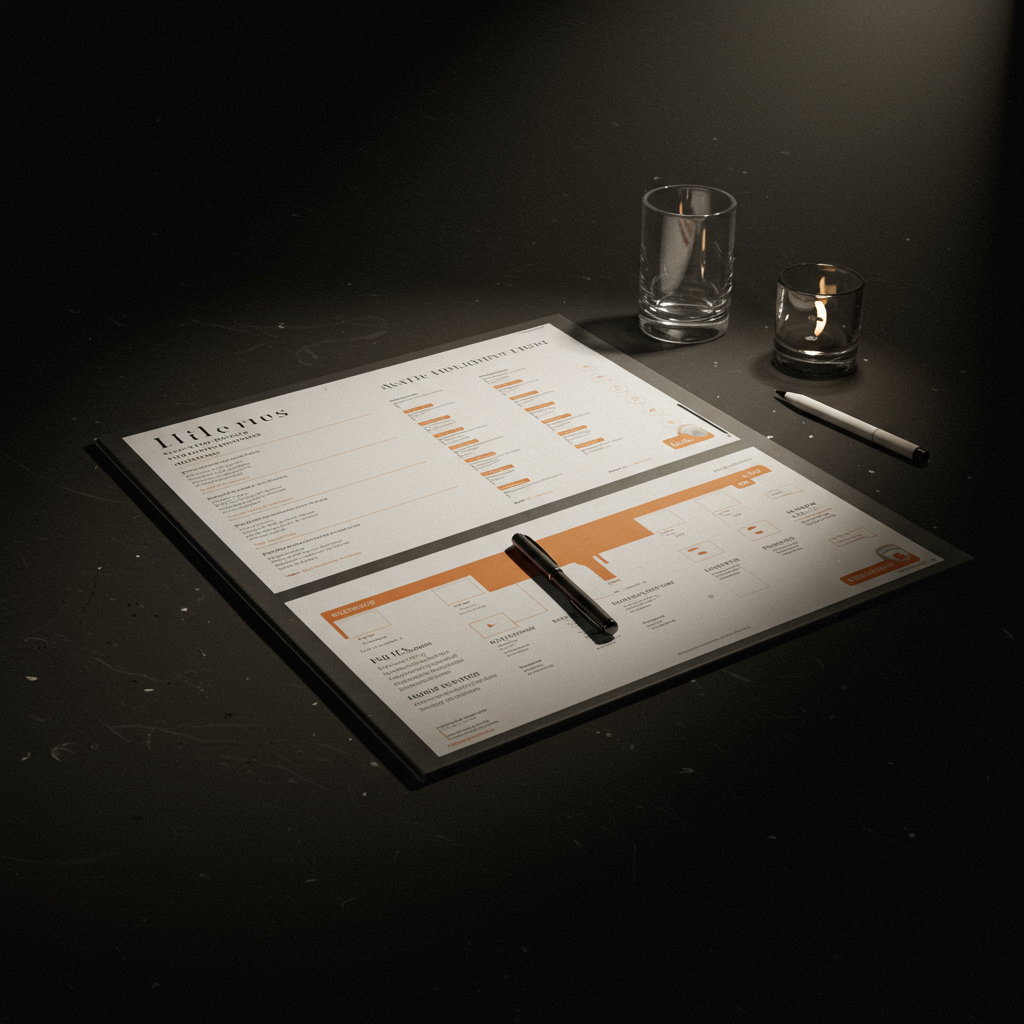
Mastering Event Execution: A Guide to Our Downloadable Run of Show Template
In the complex world of event management, the line between a memorable success and a chaotic failure is often a single document: the Run of Show (RoS). This definitive guide demystifies the process of creating a world-class RoS, the minute-by-minute blueprint that synchronizes every person, cue, and action. We will dissect the anatomy of an effective schedule, from high-level timing blocks to granular technical cues. This article is designed for event producers, marketing managers, conference organizers, and anyone tasked with delivering a seamless experience. By implementing these strategies and utilizing our professional, downloadable run of show template, you can expect to achieve critical KPIs such as schedule adherence with less than a 2% deviation, a 30% reduction in on-site stress and miscommunication, and a significant increase in stakeholder and attendee satisfaction (NPS scores above 50).
Introduction
Every great performance, whether it’s a global product launch, a multi-day conference, or an intimate webinar, appears effortless to the audience. This illusion of simplicity is not accidental; it is the direct result of meticulous, behind-the-scenes orchestration. The central nervous system of this operation is the Run of Show. Without it, teams work in silos, transitions are clumsy, and critical moments lose their impact. This guide is your definitive resource for mastering this essential tool. We will move beyond theory to provide actionable frameworks, checklists, and real-world examples. Central to this journey is our purpose-built, **downloadable run of show template**, a field-tested document designed to bring order to the inherent chaos of live events and serve as your single source of truth from pre-production through to the final curtain call.
Our methodology focuses on a proactive, rather than reactive, approach to event management. We will break down the RoS creation process into manageable phases, each with its own set of checks and balances. Success will be measured not only by the flawless execution on the day of the event but also by the efficiency gained during the planning stages. Key Performance Indicators (KPIs) we will focus on including reducing planning revisions by 25% through a standardized process, ensuring 100% of stakeholders are informed of their roles and cues before event day, and achieving a schedule deviation of less than 5 minutes over an 8-hour event. This structured approach, powered by a robust template, transforms the RoS from a simple schedule into a powerful risk management and quality assurance instrument.
Vision, values and proposal
Focus on results and measurement
Our vision is to empower event professionals to execute their creative concepts with military-grade precision. We believe a Run of Show is more than a list of timings; it is the operational expression of the event’s strategic goals. Our approach is guided by core values: clarity, accountability, and proactivity. Clarity means every entry is unambiguous and universally understood by all teams, from catering to C-suite speakers. Accountability is achieved by assigning a single, responsible owner to every line item. Proactivity is embedded through integrated contingency planning, turning potential crises into manageable incidents. We apply the 80/20 principle, focusing meticulous detail on the 20% of moments that deliver 80% of the audience impact, such as opening moments, keynote speaker transitions, and the final call to action.
- Precision Value: Every minute is accounted for, and every cue is scripted. This eliminates guesswork and reduces the cognitive load on the production team during the high-pressure live environment.
- Quality Criterion – Accessibility: The RoS must be a living document, accessible to all relevant stakeholders in real-time, with clear version control to prevent costly errors from outdated information.
- Quality Criterion – Scalability: A robust RoS template must be scalable, working equally well for a one-hour webinar as for a three-day international festival.
- Decision Matrix – Content Prioritization: The RoS helps prioritize content by forcing planners to allocate a finite resource: time. This ensures the most critical messages receive the attention they deserve.
- Value of Collaboration: The RoS serves as the common language for diverse teams (AV, marketing, talent, venue staff), fostering collaboration and ensuring everyone is working towards the same immediate objective.
Services, profiles and performance
Portfolio and professional profiles
The creation and management of a Run of Show involves a cast of specialized professionals. Our services, centered around the effective use of a **downloadable run of show template**, cater to empowering these roles. The primary profiles involved are:
- Event Producer/Director: The overall owner of the event strategy and the RoS. They ensure the document aligns with the event’s goals and budget.
- Show Caller: The “voice of god” during the live event. This person sits at the production desk and calls every single cue (lighting, sound, video, stage movements) from the RoS in real-time. Their performance is measured by their timing accuracy and clarity of communication.
- Stage Manager: The producer’s eyes and ears backstage and on stage. They are responsible for managing talent, ensuring speakers are in place for their entrances, and communicating any on-the-ground issues back to the Show Caller. KPI: Speaker transition times under 60 seconds.
- Technical Director (TD) / AV Lead: Responsible for all audiovisual elements. They translate the needs outlined in the RoS into a technical reality, managing sound, lighting, video playback, and streaming teams. KPI: Technical error rate less than 1%.
- Speaker Coordinator: Manages all communication with speakers, ensuring they have the correct version of the schedule, understand their timings, and have their presentation materials submitted and tested. KPI: 100% of speaker materials received and tested 48 hours pre-event.
Operational process
- Phase 1: Strategic Scoping (KPI: Alignment Score > 95%): The Producer works with the client to define event objectives. This output is a high-level content outline or agenda, which forms the skeleton of the RoS.
- Phase 2: Content Integration (KPI: First Draft Delivery within 24 hours of content freeze): All confirmed speakers, sessions, and media assets are populated into the template. Timings are estimated.
- Phase 3: Technical & Logistical Overlay (KPI: Reduce technical queries on show day by 80%): The AV Lead, Stage Manager, and other department heads review the draft and add their specific cues, staffing notes, and equipment requirements.
- Phase 4: Rehearsal & Refinement (KPI: Resolve >90% of timing conflicts pre-event): A “Table Read” or Cue-to-Cue rehearsal is conducted to walk through the RoS, identify issues, and refine timings.
- Phase 5: Final Distribution & Lock (KPI: Zero outdated versions in circulation): A final, clearly labeled version is distributed to all stakeholders. The document is “locked” to prevent unauthorized changes.
Tables and examples
| Objective | Indicators | Actions | Expected result |
|---|---|---|---|
| Seamless Opening Sequence | On-time start (±30 seconds), audience engagement score of 8/10 in first 5 minutes. | Pre-show checks 60 mins prior. Scripted cues for house lights, intro video, host walk-on music. | High-energy start that captivates the audience and sets a professional tone. |
| Flawless Speaker Transitions | Transition time < 90 seconds. No audio/visual feedback or dead air. | Stage Manager pre-sets next speaker. Audio tech mutes/unmutes mics on cue. Host provides scripted outro/intro. | Audience remains engaged, event flow feels continuous and polished. |
| Effective Call to Action (CTA) | Conversion rate > 15% on session CTA. 100% accurate display of URLs/QR codes. | Embed specific slide numbers and graphic cues in RoS. Show Caller cues graphics operator at the exact moment. | Maximize business impact and achieve event marketing goals. |
| On-Time Session Completion | Session end time deviation < 2%. | Use on-stage countdown timers for speakers. Stage Manager gives visual time cues (5 min, 1 min, STOP). | Respect for audience’s time, keeps entire event on schedule, preventing knock-on delays. |

Representation, campaigns and/or production
Professional development and management
In the context of event production, the RoS is the most critical single document for managing the entire on-site execution. It dictates the master production calendar on the day of the event. It informs crew call times, ensuring lighting technicians are in place for focusing before the audio team begins their soundcheck. It schedules catering deliveries to align with crew breaks, preventing disruptions. For events requiring permits or licensed content, the RoS provides an auditable record that specific activities occurred within the legally permitted timeframes. The coordination of third-party suppliers, from security teams to keynote speakers, is entirely centralized through this document. Every stakeholder receives a version of the RoS tailored to their needs, ensuring they know where they need to be and what they need to do, without being overwhelmed by irrelevant information.
- Checklist: Pre-Show RoS Lock-In
- All key contact information (names, roles, mobile numbers) for every person on the document is verified and correct.
- All media assets (videos, graphics, audio files) are named exactly as they appear in the RoS and have been tested.
- Contingency plans for at least the top three potential risks (e.g., speaker no-show, critical tech failure, medical emergency) are documented and understood by the core team.
- The version number is clearly stated in the header/footer (e.g., “v3.2_FINAL_SHOW_COPY”).
- Confirmation of receipt has been received from all key department heads.
- Printed copies are available for key personnel as a backup to digital versions.

Content and/or media that converts
Messages, formats and conversions
The Run of Show is the mechanism that ensures your content lands with maximum impact. It’s not just about what you say, but when and how you say it. A powerful opening video (“hook”) can be rendered useless if the house lights aren’t brought down at the right moment. A critical Call to Action (CTA) can be missed if the corresponding lower-third graphic with the URL doesn’t appear on screen as the speaker mentions it. The RoS choreographs this dance between content and technology. For virtual and hybrid events, this becomes even more critical, with cues for switching camera angles, launching interactive polls, and managing Q&A sessions. A/B testing of different engagement strategies can be managed through the RoS, for example, by cueing a poll in one session and a chat-based question in another to measure which yields higher audience interaction. A well-crafted RoS turns a passive presentation into an interactive, conversion-focused experience. The effective use of a **downloadable run of show template** is the first step in structuring this integration.
- Content Workflow: RoS Integration
- Content Mapping: The marketing/content team provides a “Content Grid” outlining each session’s key message, desired audience feeling, and specific CTA.
- Asset Identification: For each item on the Content Grid, identify the required media assets (e.g., `SPEAKER_A_HEADSHOT.jpg`, `VIDEO_OPENER_V2.mp4`, `POLL_SESSION_B.png`).
- Cue Scripting: The Producer and Show Caller translate these needs into simple, actionable cues within the RoS. For example: “LX CUE 5 GO” (Lighting), “SND CUE 3 GO” (Sound), “VID CUE PLAY_VIDEO_OPENER_V2 GO” (Video).
- Technical Liaison: The cues are reviewed with the Technical Director to ensure feasibility and to confirm asset specifications.
- Speaker Briefing: Each speaker is briefed on their specific cues, especially those that involve interacting with media or technology (e.g., “When you see the green light, your 1-minute countdown has begun”).
- Rehearsal: All media and content cues are rehearsed during the technical run-through to ensure perfect synchronization.

Training and employability
Demand-oriented catalogue
Proficiency in creating, reading, and executing a Run of Show is a non-negotiable skill for a successful career in event production, stage management, and technical event services. Understanding the logic and language of an RoS is a core competency that employers actively seek. Our training focuses on practical application, moving beyond theory to hands-on experience.
- Module 1: Anatomy of a Professional Run of Show: Deconstructing our downloadable run of show template, column by column. Understanding the function of item numbers, timings, cues, and responsible parties.
- Module 2: Event Timing and Flow Psychology: Learning how to pace an event to maintain audience energy, schedule breaks effectively, and build crescendos.
- Module 3: The Art of the Show Call: Practical training on how to use clear, concise language to call cues under pressure. Includes simulations and role-playing.
- Module 4: Advanced Contingency Planning: A workshop on identifying potential failure points and building robust backup plans directly into the RoS structure.
- Module 5: Digital and Hybrid Event RoS: Covering the unique complexities of online events, managing including remote speakers, stream latency, and interactive platform cues.
- Module 6: Final Project – Build an RoS from Scratch: Students are given a complex event brief and are tasked with creating a complete, show-ready Run of Show, which is then peer-reviewed and stress-tested.
Methodology
Our training methodology is focused on “learning by doing.” Students work with real-world scenarios and are evaluated using detailed rubrics that assess the clarity, accuracy, and completeness of their created documents. Practical simulations of a live show environment, where a student must act as the Show Caller for a scripted event, form a core part of the assessment. Successful completion of the program signals to potential employers that a candidate not only understands the theory but has been tested in a high-fidelity simulation of the on-the-job pressures they will face. This significantly enhances their employability and readiness for roles like Production Coordinator, Stage Manager, or Technical Director.
Operational processes and quality standards
From request to execution
- Diagnostic & Scoping: The process begins with a deep dive into the event’s goals. What is the key message? Who is the audience? What is the desired outcome? The deliverable is a high-level Event Brief. Acceptance criteria: Client sign-off on objectives and budget.
- Content & Agenda Framework: A macro-schedule is created, blocking out the main segments (e.g., registration, keynote, breakout sessions, networking). Deliverable: Agenda v1.0. Acceptance criteria: All key content pillars are represented.
- Pre-Production & RoS Development: This is where the macro-schedule is broken down into a micro-schedule. The **downloadable run of show template** is populated with detailed timings, speaker names, and initial technical notes. Deliverable: RoS Draft v1.0. Acceptance criteria: All agenda items are included with estimated durations.
- Inter-departmental Review & Integration: The draft RoS is circulated to all department leads (AV, venue, security, catering). They add their specific operational cues and requirements. Deliverable: RoS Consolidated v2.0. Acceptance criteria: All departments confirm their requirements are accurately captured.
- Rehearsal & Finalization: A full table read or cue-to-cue rehearsal is conducted. Timings are adjusted, cues are confirmed, and contingency plans are finalized. Deliverable: RoS Final v3.0 (Show Ready). Acceptance criteria: Producer and Technical Director sign-off.
- Execution & Post-Mortem: The live event is executed using the final RoS. After the event, the actual timings are noted in the document to compare against the plan, and a debrief is held to identify lessons learned. Deliverable: Post-Event Report. Acceptance criteria: Report includes variance analysis and actionable recommendations for future events.
Quality control
- Roles & Escalation: The Show Caller is the on-site authority for the RoS. Any deviation must be approved by the Event Producer, who is the ultimate decision-maker. Issues are escalated from department leads to the Producer.
- Version Control: A strict naming convention is enforced (e.g., `[EventName]_RoS_v[X.X]_[Status].xlsx`). The status can be DRAFT, REVIEW, or FINAL. Only documents marked FINAL are used on show day.
- Indicators of Acceptance: An RoS is not considered final until it has zero “TBC” (To Be Confirmed) entries for critical path items, all media files have been tested, and all speakers have confirmed their call times.
- Service Level Agreements (SLAs): Internal SLAs are set, e.g., departmental feedback on RoS drafts must be provided within 48 hours. Supplier SLAs are reviewed to ensure their capabilities match RoS requirements (e.g., internet bandwidth for streaming).
| Phase | Deliverables | Control indicators | Risks and Mitigation |
|---|---|---|---|
| Pre-Production | RoS Draft v1.0, Technical Rider | All sessions timed, all speakers listed. | Risk: Vague client brief. Mitigation: Use a structured intake form and require sign-off before proceeding. |
| Production | RoS Final “Show Ready” version, Crew & Speaker Briefing Packs | Zero “TBCs”, all cues confirmed by tech teams, version control confirmed. | Risk: Last-minute changes from client/speaker. Mitigation: Communicate a “change freeze” deadline (e.g., 48 hours pre-show). Have a clear process for evaluating emergency changes. |
| Execution (Show Day) | Live event execution | Schedule deviation < 2%, technical error rate < 1%, clear communication on comms channels. | Risk: Technical failure (e.g., projector dies). Mitigation: RoS includes contingency plan: “In case of projector failure, switch to backup projector. TD to notify SM. SM to inform speaker to pause.” Have redundant equipment. |
| Post-Production | Updated RoS (with current timings), Post-Event Report | Variance report complete, attendee feedback (NPS) analyzed. | Risk: Lessons learned are forgotten. Mitigation: Schedule a mandatory post-mortem meeting within 3 business days. Document key learnings in a centralized knowledge base. |
Application Cases and Scenarios
Case 1: Global Technology Conference (Hybrid)
Scope: A three-day event with 2,000 in-person and 15,000 virtual attendees. It included 5 main stages, 10 workshops, and more than 150 speakers. ROI was measured by qualified lead generation and attendee satisfaction score (NPS).
Challenge: Synchronize the in-person experience with the live stream, managing multiple simultaneous content flows and ensuring that remote speakers felt as integrated as those attending in person. Solution: A hierarchical RoS structure was used. A “Master RoS” was created for central production control, containing key milestones and transitions between scenarios. Each scenario and workshop had its own detailed RoS, managed by a dedicated scenario production team. The RoS for the main scenarios had specific columns for broadcast orders (e.g., “CAM 2 on speaker,” “Show lower third graphic,” “Launch poll on virtual platform”). Standardization using a single master template was key. Results: Schedule deviation was less than 1.5% achieved over the three days. The NPS was +55, exceeding the target of +50. Precise coordination allowed for seamless transitions between in-person and remote speakers, which was praised in attendee feedback.
Case 2: Luxury Product Launch (In-Person)
Scope: A high-end, 90-minute evening event for 150 journalists and influencers. The objective was to generate media buzz and ensure positive coverage. Success was measured by the number of social media mentions and published articles. Challenge: The execution had to be flawless. The event was highly choreographed and included a CEO presentation, a live product demonstration, a surprise musical performance, and a complex light and sound show. Any technical or timing errors would detract from the perception of the luxury brand. Solution: A Run of Sound (RoS) was created with second-level accuracy. Every lighting movement, every sound snippet, and every product movement on stage was documented as a separate command. For example: “19:32:15 – LX CUE 10 GO (Overhead light on the product),” “19:32:17 – SFX CUE 5 GO (Reveal sound).” Three full cue-to-cue rehearsals were conducted in the days leading up to the event. The Rules of Service (RoS) also included instructions for the catering staff to ensure the champagne was served precisely at the end of the presentation. Results: The execution was rated “flawless” by major media outlets. The social media mention target was exceeded by 200% during the event. The ROI, measured in advertising value equivalent, was 10 times the cost of the event.
Case 3: One-Day Music Festival
Scope: A 12-hour outdoor event with 15,000 attendees and 12 bands on two stages. The KPIs were changeover time between bands, safety, and artist satisfaction. Challenge: Managing rapid changeovers between performances, each with different technical requirements (known as “technical riders”). The risk of delays was high, as a delay in one performance affected the entire subsequent program. Weather was also a significant risk factor. Solution: The Main Stage’s Rule of Service (RoS) was the central document. It not only detailed the start and end times of each performance but also broke down the 20-minute changeover process into specific 2- to 3-minute tasks (e.g., “Drum Removal,” “Backline,” “Vocal Soundcheck”). It included detailed contingency plans for rain, with predefined actions for covering equipment and communicating delays to the audience. The use of a standardized **downloadable run of show template** for both stages allowed teams to cover for each other if needed. Results: The average changeover time was 18 minutes, 10% below target. Despite a one-hour delay due to rain, the festival finished only 15 minutes late, thanks to the built-in standby times and the efficient contingency plan. Post-event surveys showed a 95% artist satisfaction score.
Step-by-step guides and templates
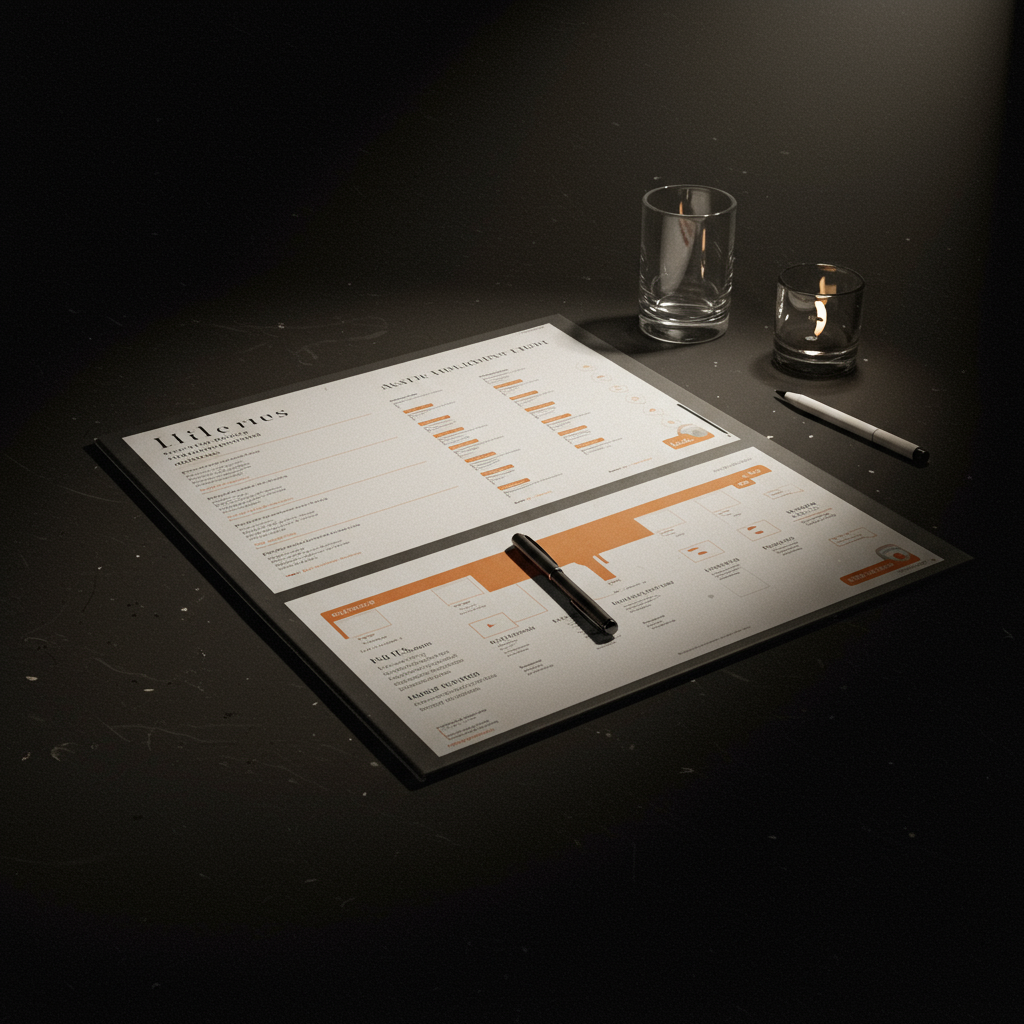
Guide 1: How to fill out the downloadable Run of Show template
- General Information Tab: Start here. Enter the event name, dates, venue, and key contacts (event producer, technical director, client). This is the only place where phone numbers should appear to keep the main document clean.
- Set the Main Time Blocks: Go to the main tab of the RoS. Don’t start with the details. First, set the high-level structure. Create rows for “07:00 – Team Arrival,” “09:00 – Doors Open,” “10:00 – Welcome Keynote,” “11:30 – Coffee Break,” etc. This creates the skeleton of your day.
- Detail Each Segment: Now, insert rows within each block. For the “Welcome Keynote,” add rows for “Introductory Video,” “Presenter Entrance,” “Keynote Address,” “Q&A Session,” and “Presenter Exit.”Fill Columns From Left to Right: For each row, systematically fill in the columns:
Item Number: A unique number for each action (e.g., 1.1, 1.2).
Start Time / End Time: The scheduled time for the action to occur.
Duration: Automatically calculated if using spreadsheet formulas. Essential for planning.
- Element / Segment: A clear description of the action (e.g., “CEO Speech”).
- Speaker / Talent: Who is on stage or speaking.
- AV Notes: Commands for the AV team (e.g., “Play CEO_VIDEO.mp4”, “Headset Mic 01 LIVE”).
- Lighting Notes (LX): Commands for the lighting team (e.g., “CUE 5 GO – Spotlight on the podium”).
- Responsible: The person or department responsible for the action (e.g., “Stage Director”, “Technical Director”).
- Add Codes of Colors: Use color coding to improve readability. For example: green for content sessions, yellow for breaks, red for critical technical instructions, and blue for speaker time.Create the Contingency Tab: Use the separate tab to document contingency plans. For each risk (e.g., “Speaker doesn’t show up”), describe the action plan (“The presenter announces a short break. The stage manager prepares the backup speaker. The technical manager loads the backup presentation”).
Final Checklist: Are all contact numbers listed in the general information tab? Is the version number clear? Have all media files been tested, and do their names match those in the RoS? Has it been distributed to all stakeholders?
Guide 2: How to conduct a “script reading” of your event
- Convene key leaders: Gather all the people who will be making decisions on the day of the event: the producer, stage manager, technical director, speaker coordinator, and the main client. This can be done in person or virtually.
- Distribute the latest version of the RoS: Ensure everyone is working with the same version of the document. Announce the version number aloud at the beginning of the meeting (e.g., “We are reviewing version 2.1”).
- Read every line aloud: The producer or stage manager should read the entire RoS, starting with the first call-out from the team to the final exit. No se salte nada.
- Pausa para la confirmación: Después de cada orden técnica o logística, haga una pausa y pida una confirmación verbal del jefe de departamento correspondiente. Por ejemplo, después de leer “Reproducir VÍDEO_APERTURA.mp4”, el director técnico debe decir “Confirmado, el vídeo está probado y listo”.
- Identificar los puntos conflictivos: El propósito de este ejercicio es encontrar problemas antes de que ocurran. ¿Hay un cambio de escenario que no tiene tiempo suficiente? ¿Hay dos departamentos que necesitan el mismo recurso al mismo tiempo? Este es el momento de solucionarlo.
- Actualizar el RoS en tiempo real: Si es posible, tenga el RoS proyectado en una pantalla y haga las actualizaciones en tiempo real a medida que se acuerdan. Si no, designe a una persona para que tome notas detalladas para una revisión inmediata después de la reunión. Este proceso reduce los errores en el lugar en más de un 50 %.
Guía 3: Integración de planes de contingencia en el RoS
- Identifique sus 5 principales riesgos: Realice una lluvia de ideas sobre los problemas más probables y de mayor impacto. Los ejemplos comunes incluyen: el ponente principal llega tarde, un archivo de presentación clave está dañado, se activa la alarma de incendios, falla el Wi-Fi para una demostración en directo o una emergencia médica.
- Cree un protocolo de “Si esto, entonces aquello”: Para cada riesgo, cree un protocolo de acción simple y claro. Por ejemplo: “SI la presentación del CEO no se carga, ENTONCES el director técnico cambiará inmediatamente al ordenador portátil de respaldo y cargará la versión en PDF de la presentación. El director de escena informará discretamente al CEO del cambio”.
- Asigne un responsable de la decisión: Para cada plan de contingencia, debe haber una sola persona con la autoridad para activarlo. Normalmente, es el productor del evento. Esto evita la confusión en un momento de crisis.
- Incorpórelo al RoS: Puede crear una pestaña de contingencia separada en su hoja de cálculo o, para problemas muy específicos, puede añadir una nota directamente en la línea correspondiente del RoS. Por ejemplo, junto a la línea del discurso del CEO, la columna de notas podría decir: “Contingencia por archivo dañado: ver Pestaña de Contingencia, punto 1”.
- Comunique los planes: Asegúrese de que todo el equipo principal conoce los planes de contingencia. No sirven de nada si solo el productor los conoce. Revíselos durante la lectura del guion del evento.
Recursos internos y externos (sin enlaces)
Recursos internos
-
- Plantilla de Run of Show (Formato Spreadsheet)
- Plantilla de Horario de Producción (de la pre a la postproducción)
- Plantilla de Hoja de Contacto del Evento
- Estándares de Nomenclatura de Archivos de Medios
* Guía de Buenas Prácticas de Comunicación por Radio (Comms)
- Lista de Verificación de Recorridos del Sitio
Recursos externos de referencia
- Buenas prácticas de la industria de la Professional Convention Management Association (PCMA)
- Directrices del Meetings Professionals International (MPI)
- Norma ISO 20121 para la gestión de la sostenibilidad de los eventos
- Normativas locales de salud y seguridad para reuniones públicas
- Directrices de la Event Safety Alliance
Preguntas frecuentes
¿Cuál es la diferencia entre un Run of Show y un Horario de Producción?
Un Run of Show (RoS) es el documento del evento en vivo, que detalla la secuencia de eventos minuto a minuto tal y como la ve el público y el equipo de producción durante el espectáculo. Un Horario de Producción es un documento mucho más amplio que abarca toda la línea de tiempo del proyecto, incluyendo los plazos de preproducción (por ejemplo, reserva del lugar, marketing) y las tareas de postproducción (por ejemplo, envío de encuestas, edición de vídeo).
¿Quién debe tener acceso al RoS?
El acceso debe ser escalonado. El equipo de producción principal (Productor, Director de Escena, Director Técnico, Director de Espectáculo) necesita la versión completa y más detallada. Los ponentes, el personal del lugar y otros equipos pueden recibir versiones simplificadas que solo contengan la información relevante para ellos. Esto evita abrumarlos y reduce el riesgo de que se centren en la información incorrecta.
¿Cuán detallado debe ser mi RoS?
Debe ser lo suficientemente detallado como para que un profesional de eventos con experiencia que no esté familiarizado con su proyecto pueda entrar, leerlo y dirigir el espectáculo con éxito. Para las órdenes de transmisión y las secuencias complejas, debe ser preciso al segundo. Para los segmentos de contenido más largos, como un discurso de 45 minutos, una precisión de minutos está bien, pero las horas de inicio y fin deben ser exactas.
¿Cuál es el mejor software para crear un RoS?
Las hojas de cálculo (como Google Sheets o Microsoft Excel) siguen siendo el estándar de la industria. Su flexibilidad, sus capacidades de colaboración y su universalidad las hacen ideales. Permiten una fácil personalización, fórmulas para calcular duraciones y un formato de cuadrícula que es perfecto para la estructura de un RoS. Nuestro **downloadable run of show template** se proporciona en un formato de hoja de cálculo universalmente compatible.
¿Con qué frecuencia debo actualizar el RoS?
El RoS es un documento vivo durante toda la fase de planificación. Debe actualizarse después de cada reunión de producción importante o cada vez que se confirme un nuevo detalle (como un ponente o un archivo de vídeo). Es fundamental utilizar un control de versiones claro (por ejemplo, v1.0, v1.1, v2.0). Normalmente, se declara un “bloqueo” del RoS entre 24 y 48 horas antes del evento. Después de este punto, solo se deben realizar cambios de emergencia, y estos deben ser comunicados verbalmente a todo el equipo principal.
Conclusión y llamada a la acción
El Run of Show es, sin lugar a dudas, la piedra angular de cualquier evento bien ejecutado. Trasciende ser un simple horario para convertirse en el guion de la experiencia, una herramienta de gestión de riesgos y el lenguaje común que une a equipos dispares. Al adoptar un enfoque estructurado para su creación, centrándose en la claridad, la responsabilidad y la planificación de contingencias, se transforma la incertidumbre en control. Los resultados son medibles y profundos: se cumplen los plazos con una desviación mínima, la comunicación del equipo se vuelve fluida, el estrés en el lugar se reduce drásticamente y, lo más importante, tanto los ponentes como los asistentes disfrutan de una experiencia profesional y sin fisuras. Para poner en práctica estos principios y elevar sus eventos de buenos a excepcionales, comience por implementar una herramienta de nivel profesional. Utilice nuestro **downloadable run of show template**, diseñado por expertos, para garantizar que su próximo evento sea un éxito rotundo.
Glosario
- Run of Show (RoS)
- Un documento detallado y secuencial que describe todas las acciones, órdenes y tiempos para la ejecución de un evento en vivo.
- Show Caller
- La persona responsable de llamar verbalmente todas las órdenes técnicas (iluminación, sonido, vídeo) a los operadores durante un evento en vivo, siguiendo el RoS.
- Cue-to-Cue
- Un tipo de ensayo en el que solo se practican las transiciones y las órdenes técnicas, omitiendo el contenido completo de los segmentos para ahorrar tiempo.
- Stage Manager
- La persona responsable de todas las actividades en el escenario y entre bastidores, incluyendo la gestión de los ponentes y la comunicación con el director del espectáculo.
- AV (Audiovisual)
- Se refiere al equipo técnico y al personal responsable de los elementos de sonido, vídeo y proyección de un evento.
- Contingency
- Un plan de respaldo predefinido para hacer frente a posibles problemas o emergencias que puedan surgir durante un evento.
Internal links
- Click here👉 https://uk.esinev.education/masters/
- Click here👉 https://uk.esinev.education/diplomates/
External links
- Princeton University: https://www.princeton.edu
- Massachusetts Institute of Technology (MIT): https://www.mit.edu
- Harvard University: https://www.harvard.edu
- Stanford University: https://www.stanford.edu
- University of Pennsylvania: https://www.upenn.edu